 Memolines
FAMILY ALBUM
Your children’s drawings deserve better than a cardboard box
Scan a sheet, add who drew it and the story behind it. Memolines turns it into a crisp, printable memory your child can browse alone.
Free works without an account. No ads. Your library starts on your phone.
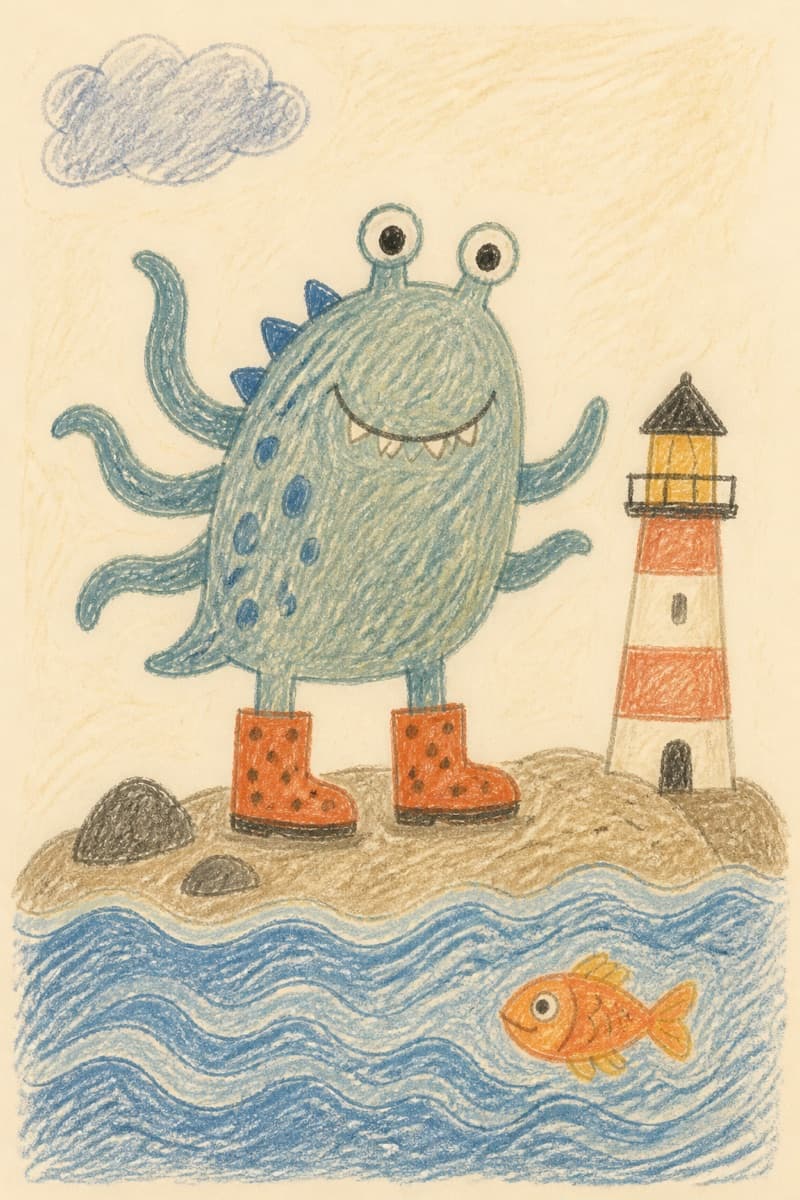
The lighthouse monster
What the artist said
He puts his boots on when the tide comes in.
THE PROBLEM
One drawing a day, one pile a month
Sheets pile up on the fridge, then in a drawer, then in a box. You lose track of who drew it, at what age, and why it mattered that day. In the end you throw them out feeling guilty.
Every drawing becomes a card: the artist, their age, the date, an anecdote and the text recognised on the sheet. The paper can go — the memory stays, and stays printable.
HOW IT WORKS
Four gestures, one minute
- 1
Scan the sheet
The camera finds the edges like a document scanner and can capture several sheets in one session.
- 2
We clean the drawing
Crop, straighten, compress. The child’s line stays recognisable and the file stays light.
- 3
Tell the story
The child’s first name, their age, a title, the date and the anecdote. Text written on the sheet is recognised when possible.
- 4
The child browses
A full-screen child mode, free of surrounding text, where they swipe through their own drawings.
THE STUDIO
What lives in the album
A card per memory
Title, date, anecdote, the artist’s age at the time, and their own hand-drawn avatar.
Several artists
Each child gets a tab, a drawn avatar and their own gallery. Siblings never get mixed up.
Print ready
The stored document is the printable one. The gallery thumbnail is a separate, lighter file.
Gentle reminders
A local weekly or monthly reminder, only if you ask for it. Nothing is sent from a server.
A birthday, celebrated
On their birthday the child’s page fills with paper confetti and pencil balloons. Once a year — not a reward.
French and English
The app follows the phone’s language. Dates and ages are formatted with it.
CHILD MODE
They can look on their own, without breaking anything
The child gallery opens in one tap and is left through an addition. It is not a password: it is just enough friction that a four-year-old finger does not wander out by accident.
7 + 5 = ?
An addition, not authentication.
PLANS
Just pick the room your family needs
Free
€0
forever
1 artist · 20 drawings in total
Enough to try the whole album, on one phone.
- Scan, clean-up and memory cards
- Child mode and local reminders
- Everything stays on the device: no backup
Premium
€4.99 / month
or €39.99 / year
Up to 5 artists · 200 drawings per child
A family’s worth of room, with a safety net.
- Everything in Free, without the 20-drawing ceiling
- Encrypted cloud backup, restorable on a new device
- The quota counts per child, not for the whole house
Ultra
€8.99 / month
or €69.98 / year
Up to 20 artists · 1,000 drawings per child
For large families and classrooms.
- Everything in Premium, at another scale
- 1,000 drawings for every little artist
- Encrypted cloud backup included
Store prices, auto-renewing, cancel any time from the App Store or Play Store. Nothing is erased after cancellation; drawings beyond the Free limit remain safely stored and unlock when the plan is restored.
QUESTIONS
What people ask us
What should I do with my kids’ drawings without keeping them all?
Digitise them. Scan each sheet, note who drew it, at what age and what it was about: the memory is kept and printable, and the paper can go without guilt. Keep only the originals that matter most.
How do I scan children’s artwork with my phone?
Open Memolines and point at the sheet: edges are detected like a document scanner, then the drawing is cropped, straightened and compressed. You can scan several sheets in a row.
Is Memolines free?
Yes. The Free plan, with no account and no ads, covers 1 artist and 20 drawings. Premium and Ultra add room for siblings and an encrypted cloud backup.
Do I need an account?
Not for the Free plan. Premium backup uses a technical account, and an email address can be linked for recovery.
Does it work offline?
Yes, entirely. Scanning, saving and browsing never require the network.
What happens to my family’s data?
The Free library stays in the app’s private storage. A family’s files are copied to the private cloud only when the parent enables Premium or Ultra backup.
Can I print a drawing?
That is what the stored document is for: it keeps a print-grade resolution, separate from the gallery thumbnail.
What if I change phones?
On the free plan the album lives on the device where it was created: if that goes, it does not come back. The encrypted cloud backup in Premium and Ultra exists for exactly that case — you restore it onto the new phone.
What happens when I hit the 20 drawings?
Nothing is erased. The 20 drawings already saved stay readable and printable; you move to Premium to add more, or to open a tab for a second child.